 |
| |
 |
| |
 |
| |
 |
| |
 |
| |
 |
| |
 |
| |
 |
| |
 |
| |
 |
| |
 |
| |
 |
| |
 |
| |
 |
| |
 |
| |
 |
| |
 |
| |
 |
| |
 |
| |
 |
| |
 |
| |
 |
| |
 |
| |
 |
| |
 |
| |
 |
| |
 |
| |
 |
| |
 |
| |
 |
| |
 |
| |
 |
| |
 |
| |
 |
| |
 |
| |
 |
| |
 |
| |
 |
| |
 |
| |
 |
| |
 |
| |
 |
| |
 |
| |
 |
| |
 |
| |
 |
| |
 |
| |
 |
| |
 |
| |
 |
| |
 |
| |
 |
| |
 |
| |
 |
| |
 |
| |
 |
| |
 |
| |
 |
| |
 |
| |
 |
| |
 |
| |
 |
| |
 |
| |
 |
| |
 |

Welcome to: GATESNFENCES.COM
| L. A. Ornamental & Rack Corp 3708 NW 82nd Street Miami, Florida 33147 Office: 305-696-0419 Fax: 305-696-0461 |

| About Us | Contact Us | Our Policies | FAQ | Manufactures | Links | Copyright Protected 2004-2008 - L. A. Ornamental & Rack Corp. All rights reserved. No part of this site can be reproduced in any form or by any means, electronic, mechanical, photocopying, or otherwise without prior written consent of L. A. Ornamental & Rack Corp. 3708 NW 82nd Street Miami Florida 33147, Office: 305-696-0419 Fax: 305-696-0461 E-Mail: LAOrnamental@Aol.com |
| DoorKing 1816 Telephone Intercom System ---- CALL FOR PRICE The Model 1816 Telephone Intercom System is a unique communication and access control device that provides two-way voice communication and control of a main entry door through the resident's own telephone without the need of a dedicated Central Office (C.O.) phone line. This capability eliminates the need for costly hard-wired intercom systems, monthly line charges and equipment lease payments. The 1816 also provides communication and control of the door even if the resident does not have central office phone service. The 1816 is ideal for colleges wishing to control access into student Resident Halls, apartment buildings and office buildings. The 1816 is a component style system that consists of a lobby panel(s), main control cabinet(s) and line interface board(s). The system is built in accordance with the number of telephone lines to be interfaced with. Contact your professional DKS system installer for more information about this and other DKS products. |
Doorking 1816 telephone intercom system is designed for commercial
applications where communication and access control devices are necessary to provide two-way voice communication and
control of a door or gate through a resident's own telephone – without the need of a dedicated central office phone line.
This eliminates the need for costly hard-wired intercom systems, monthly line charges, and equipment lease payments.
applications where communication and access control devices are necessary to provide two-way voice communication and
control of a door or gate through a resident's own telephone – without the need of a dedicated central office phone line.
This eliminates the need for costly hard-wired intercom systems, monthly line charges, and equipment lease payments.
| FEATURES: * Ideal for apartment buildings, college resident halls and office buildings * Tenants do not need central office phone service to be connected. Use a touch-tone telephone plugged into the wall jack for instant connection * Guest are identified by voice communication via the telephone * Access is granted by pressing “9” on the touch tone telephone, or access can be denied by simply hanging up * System can accommodate up to 1200 tenants. No reprogramming of the system is required when one tenant moves out and another moves in * Special inputs for "doorman" telephone plus programmable directory codes * Built-in call waiting assures that incoming or visitor calls are not missed. Unique double-ring identifies calls from the lobby panel. Regular incoming calls use the standard single ring |
 |
 |
 |
 |
 |
 |
 |
 |
 |
 |
 |
 |
 |
 |
 |
 |
|
Features:
Specifications:
|

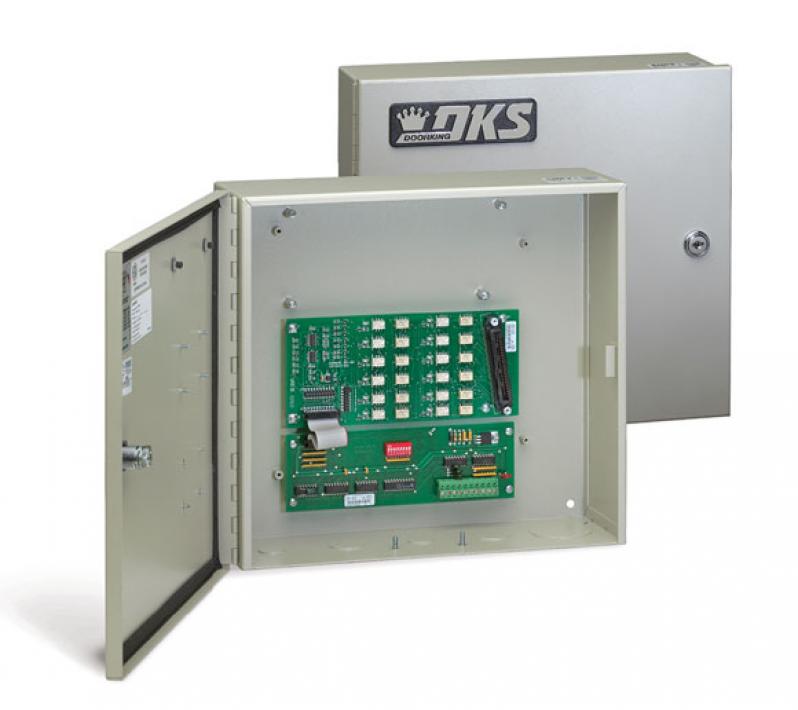
| INTERCOM SERVICE FOR UP TO 23 PHONE LINES The DKS 1816 Access Plus Telephone Intercom System allows the Access Plus System to provide voice communication between the guest and the tenant in facilities without active phone service, and does not require a dedicated central office phone line. The “No Phone Line” Telephone Intercom interface can expand from a single phone line up to a maximum of 23 phone lines |
| The 1816 Access Plus expands the “No Phone Line” telephone intercom interface on Access Plus systems from a single phone line up to 11 phone lines. The system can be further expanded to interface with up to a maximum of 23 phone lines. This is not a stand-alone system; it must be interfaced with an Access Plus controller, which then provides a “No Phone Line” system with all of the programming and control features of the Access Plus systems. Only a single access plus controller can be used with the 1816 Access Plus intercom expansion module. Features:
CALL FOR PRICE |


CALL FOR
PRICE
PRICE